API Platform Overview
Learn about the GoSEO API platform's key management, authentication methods, and common scenarios suitable for automation.
Feature Analysis
The API platform is suitable for integrating GoSEO capabilities into internal systems, such as keyword imports, content generation, task queries, and automated publishing. The focus is on key management and permission boundaries, not blindly automating every UI action.
Detailed Steps
First create API keys for individual purposes, then verify authentication with a minimal script. Use different keys for different automation scripts to make revocation and troubleshooting easier.
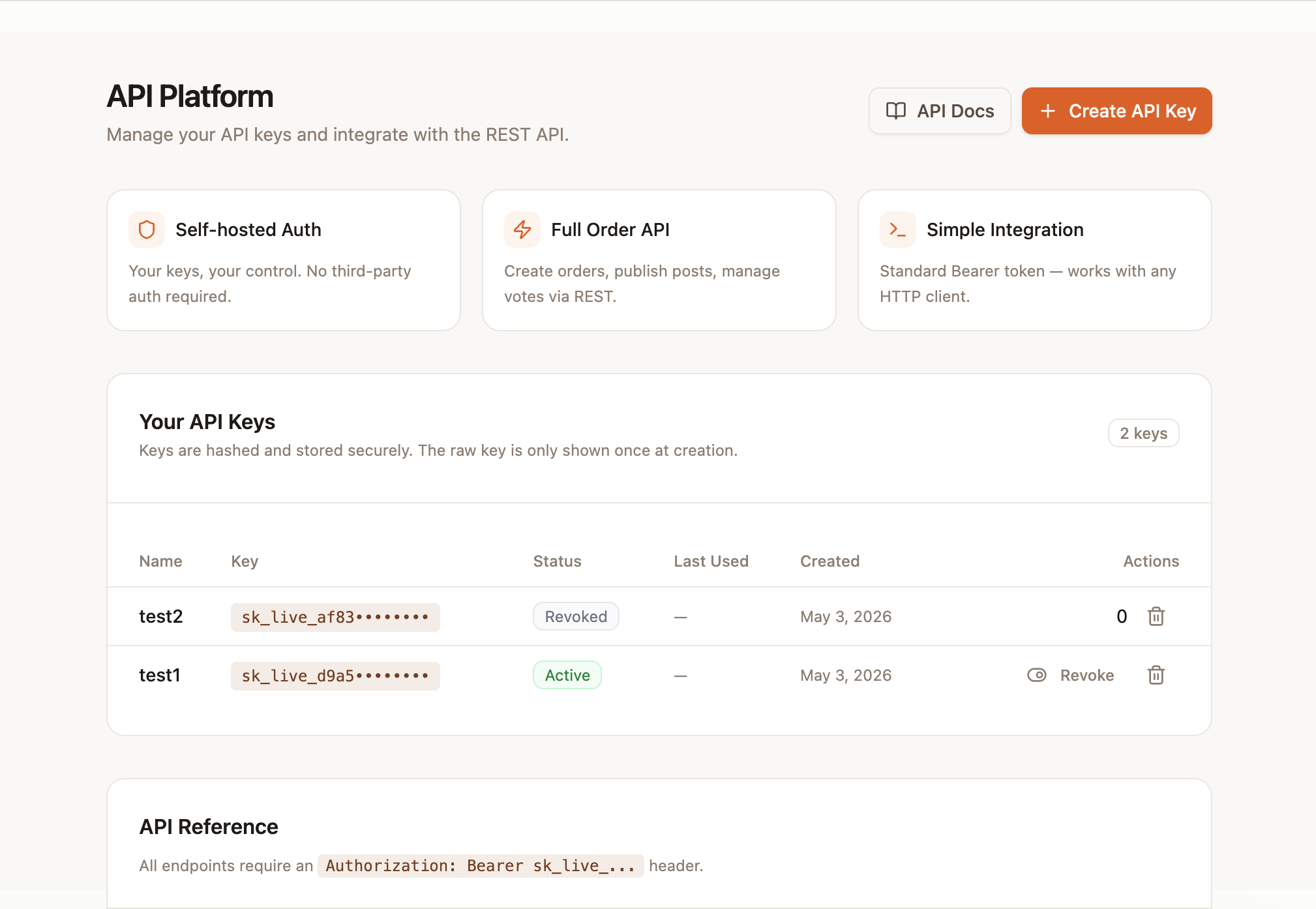
- 1Go to the API page in the GoSEO dashboard.
- 2Review the API key management area and the capability descriptions.
- 3Click Create API Key and enter a name for its purpose.
- 4Copy the full key and save it in a secure environment variable.
- 5Test by calling a read-only endpoint using the Authorization Bearer header.
- 6Set up logging, error handling, and a key rotation plan for production scripts.
Where to find it
Open the API page in the GoSEO dashboard to create, revoke, and delete API keys, and to view basic request examples. Each key is displayed in full only once at creation.
Authentication method
All API requests use an Authorization Bearer token. Please create separate keys for different scripts or integrations so they can be revoked individually if compromised.
curl https://www.goseo.to/api/v1/me \
-H "Authorization: Bearer sk_live_your_key_here"Common Use Cases
The API is suitable for importing keywords, content generation, querying task status, and integrating the publishing workflow into internal systems. For high-risk operations, it is recommended to retain manual approval.