REST API Reference
View the main endpoints, request formats, authentication requirements, and response descriptions for the GoSEO REST API.
Feature Analysis
The REST API reference explains the purpose of each endpoint, request methods, and response conventions. It's intended for developers to confirm authentication, fields, error codes, and rate limits before writing scripts, reducing trial-and-error after going live.
Detailed Steps
Start with read-only endpoints first, then test write endpoints. For endpoints that involve generation, publishing, or billing, it's recommended to validate them in a test workspace.
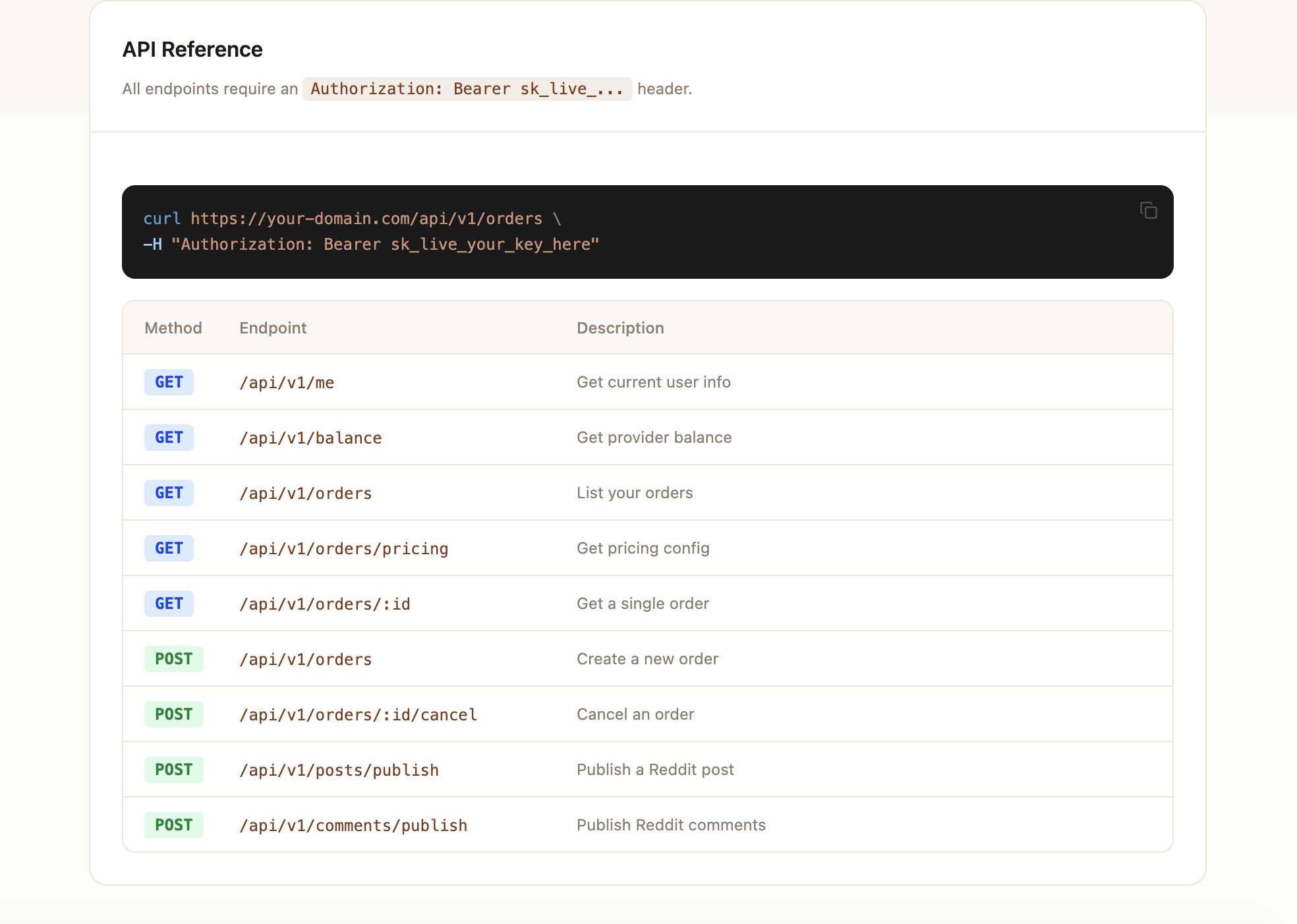
- 1Open the API Reference and confirm the base URL and authentication header.
- 2Start testing from GET /me or a similar read-only endpoint.
- 3Review the endpoint table to confirm the method, path, and required fields.
- 4Send test requests using curl or Postman.
- 5Handle common errors like 401, 403, 409, and 429.
- 6Persist successful requests into internal scripts or automation platforms.
Endpoint List
The API Reference section lists the available GET and POST endpoints. GET is used to read data, and POST is used to create tasks or trigger generation.
Request example
The example below shows how to create a keyword import task. Actual fields may be extended across API versions; please refer to the API Reference on this page.
curl https://www.goseo.to/api/v1/keywords/import \
  -H "Authorization: Bearer sk_live_your_key_here" \
  -H "Content-Type: application/json" \
-d '{"workspaceId":"ws_123","keywords":["ai seo tools","backlink finder"]}'Error handling
401 indicates the key is invalid or has been revoked, 403 indicates the current plan or workspace does not have permission, 429 indicates a rate limit has been triggered, and 5xx indicates temporary server errors.