Rate Limits and Error Codes
Learn about GoSEO API request limits, retry strategies, and common error codes to avoid failure storms caused by automated scripts.
Feature Analysis
Rate limits protect the workspace, API key, and generation tasks from being overwhelmed by buggy scripts. Understanding the limit rules makes your automation more stable, especially for high-cost operations like content generation, publishing, and bulk imports.
Detailed Steps
When you encounter a 429, don't immediately retry in a loop. Read the Retry-After, use exponential backoff, and put write-type tasks into a queue to execute slowly.
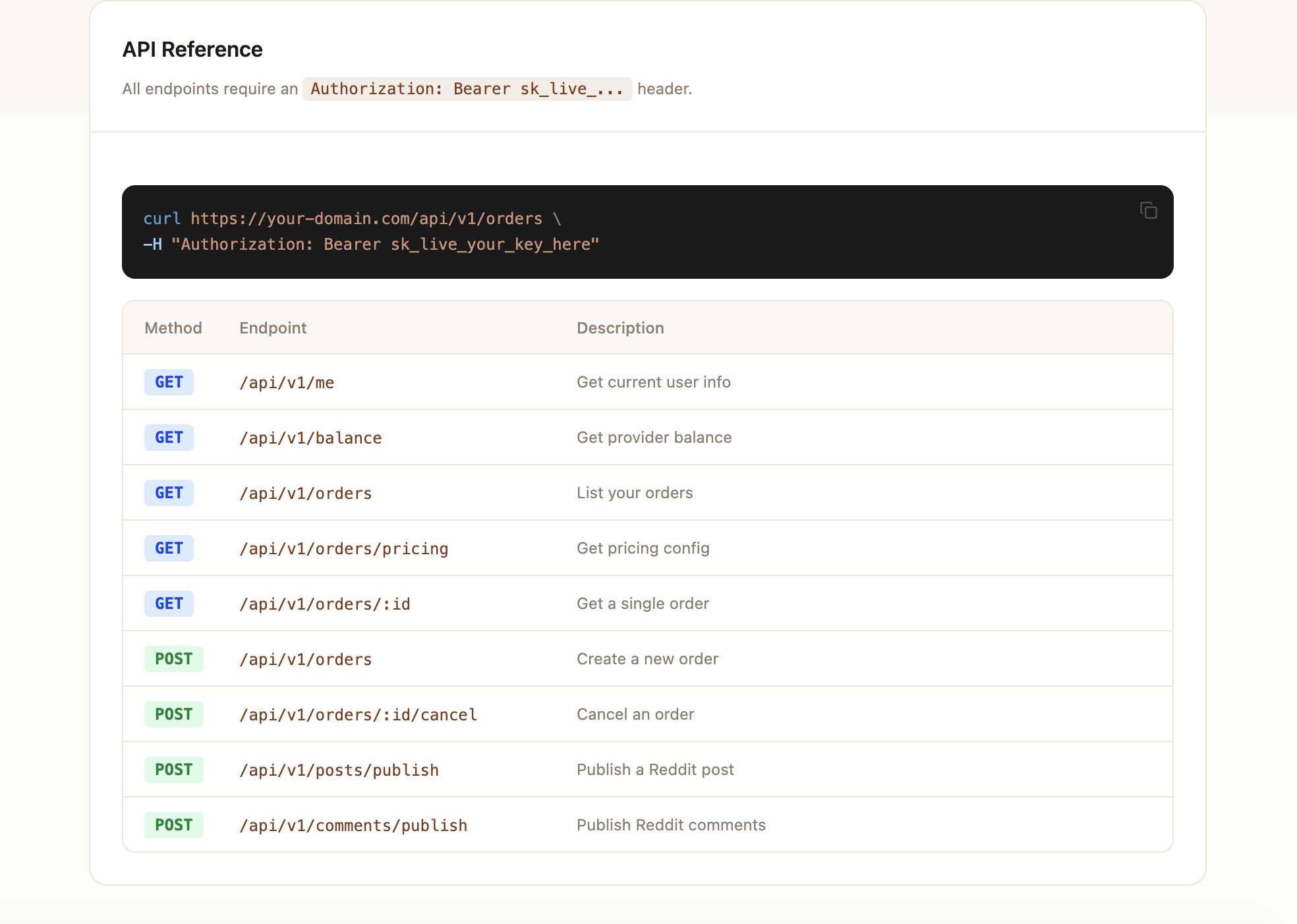
- 1Check the limit descriptions for the corresponding endpoint in the API Reference.
- 2Set different concurrency limits for read, generation, and publish-type endpoints.
- 3Catch 429 responses and read the Retry-After header.
- 4Use exponential backoff for retries; don't make high-frequency requests at fixed intervals.
- 5Use a queue for bulk tasks and record the status of each task.
- 6Pause the script after consecutive failures and notify the team to check the key or plan limits.
Rate limiting principles
GoSEO limits request rates by workspace, API key, and endpoint type. Read-type endpoints have looser limits, while generation and publishing endpoints are subject to stricter limits.
Retry strategy
When encountering a 429, read the Retry-After header and use exponential backoff. Do not repeatedly retry write endpoints in a short period.
if (response.status === 429) {
  const retryAfter = Number(response.headers.get("Retry-After") ?? 30);
  await wait(retryAfter * 1000);
}Common error codes
400 indicates invalid request fields, 401 indicates unauthenticated, 403 indicates forbidden (no permission), 404 indicates resource not found, 409 indicates resource state conflict, 429 indicates too many requests.